SendMaster
Automate Customer Statements — a custom Aidacare web-based scheduling and communication application built around Microsoft Dynamics GP data for scheduled email, SMS, file, and report-based customer communications.
System Details
Send MasterWhat SendMaster Does
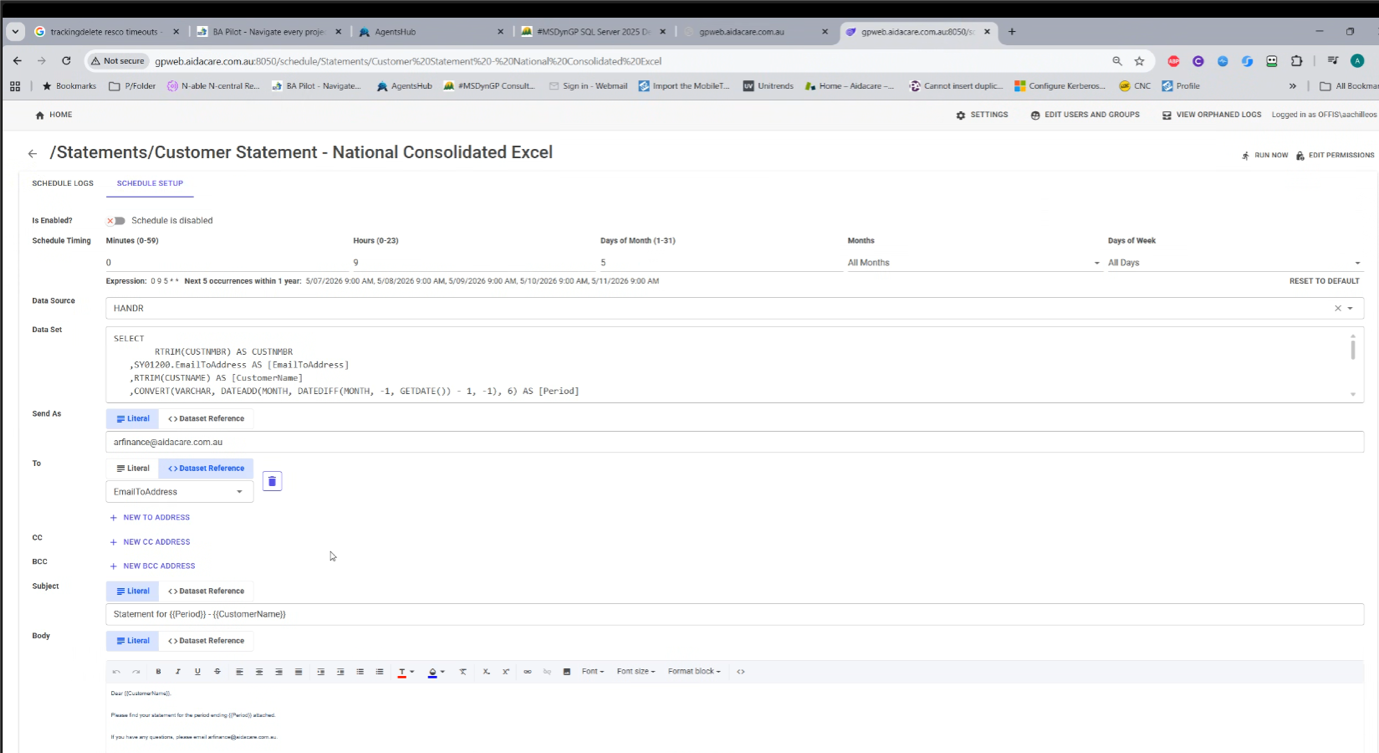
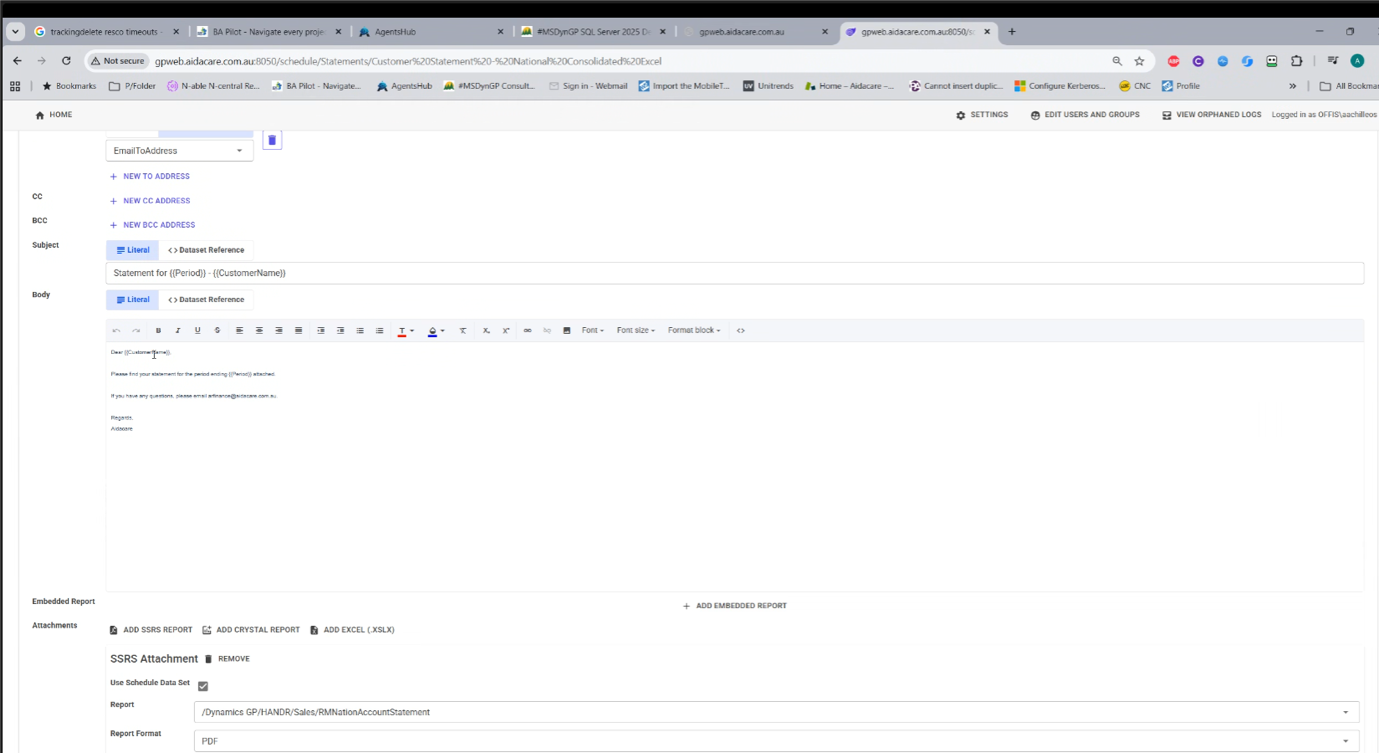
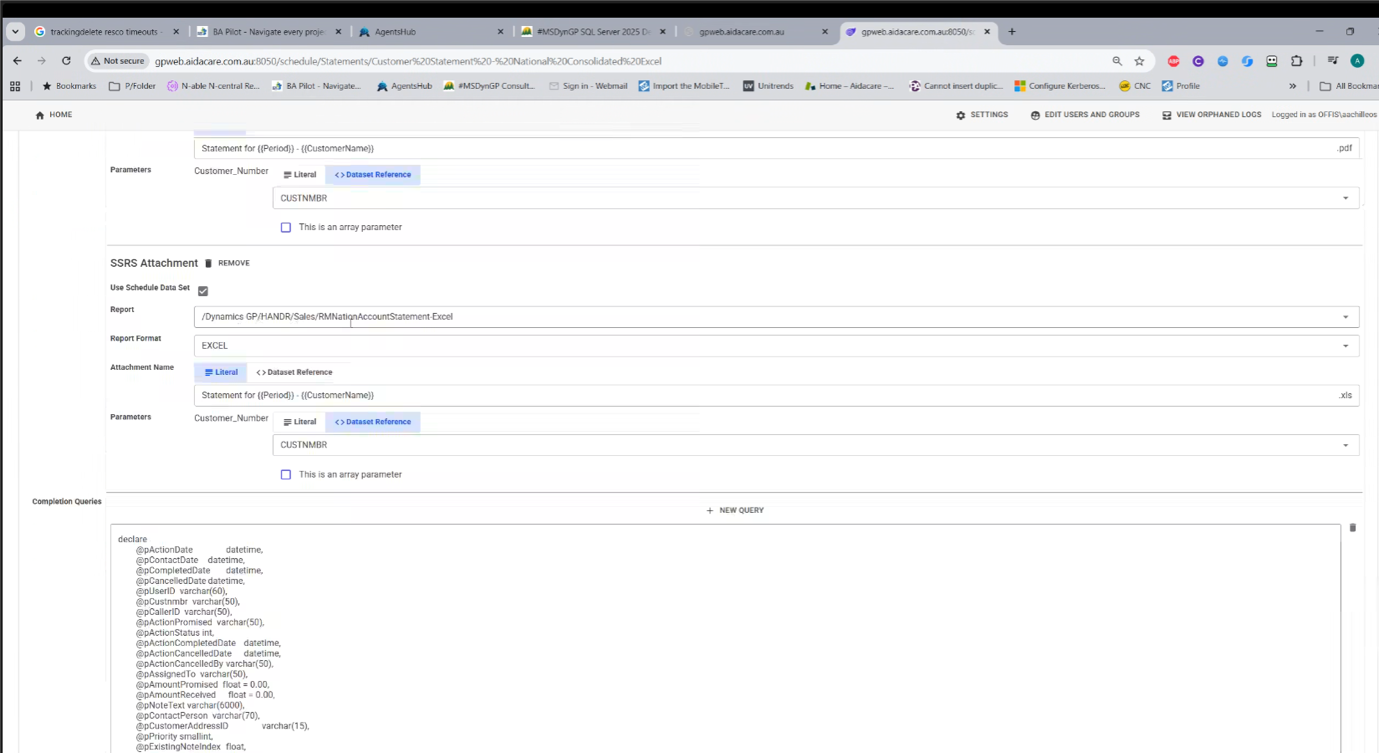
Communication LayerSendMaster is a custom Aidacare web-based scheduling and communication application built around Microsoft Dynamics GP data. It allows business and finance users to create and manage scheduled email, SMS, file, and report-based communications using configurable folders, SQL-driven datasets, message templates, merge fields, and report attachments. The tool reads required customer, finance, service, and statement data from the GP SQL Server, generates outputs such as SSRS reports, Crystal Reports, Excel files, or PDFs, and sends them to customers or internal stakeholders through email and SMS channels.
Operational Controls
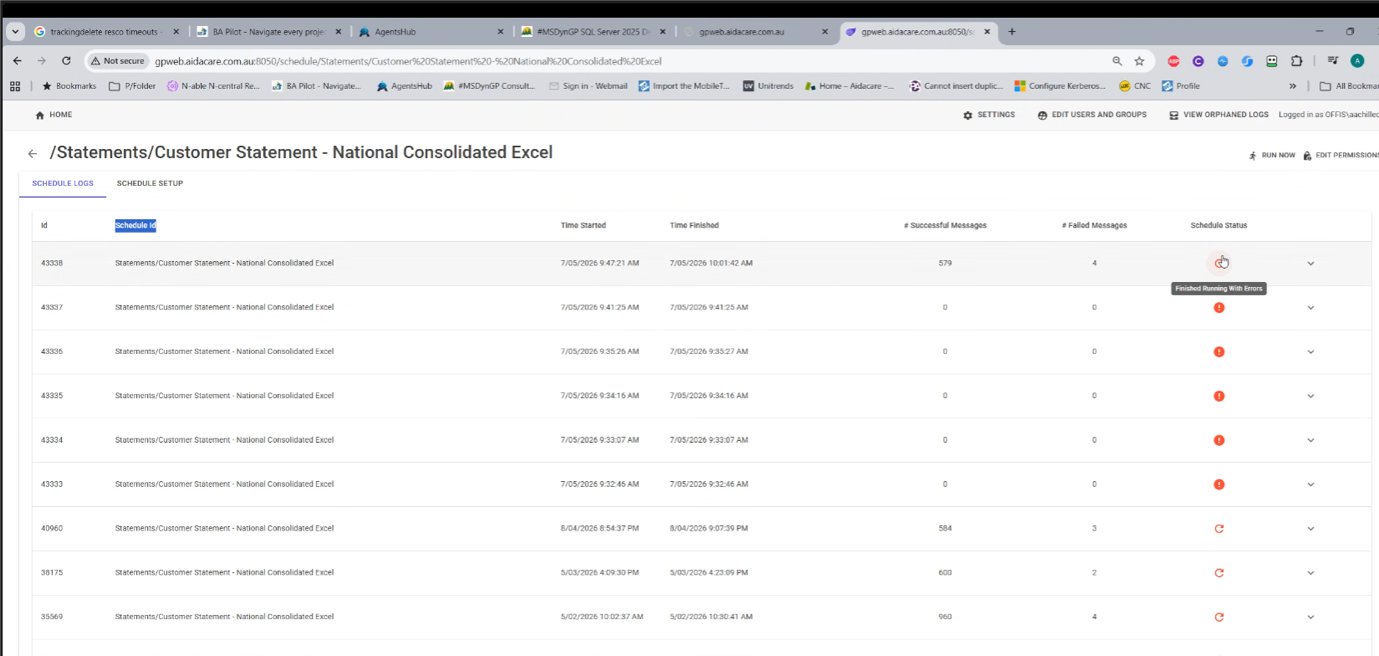
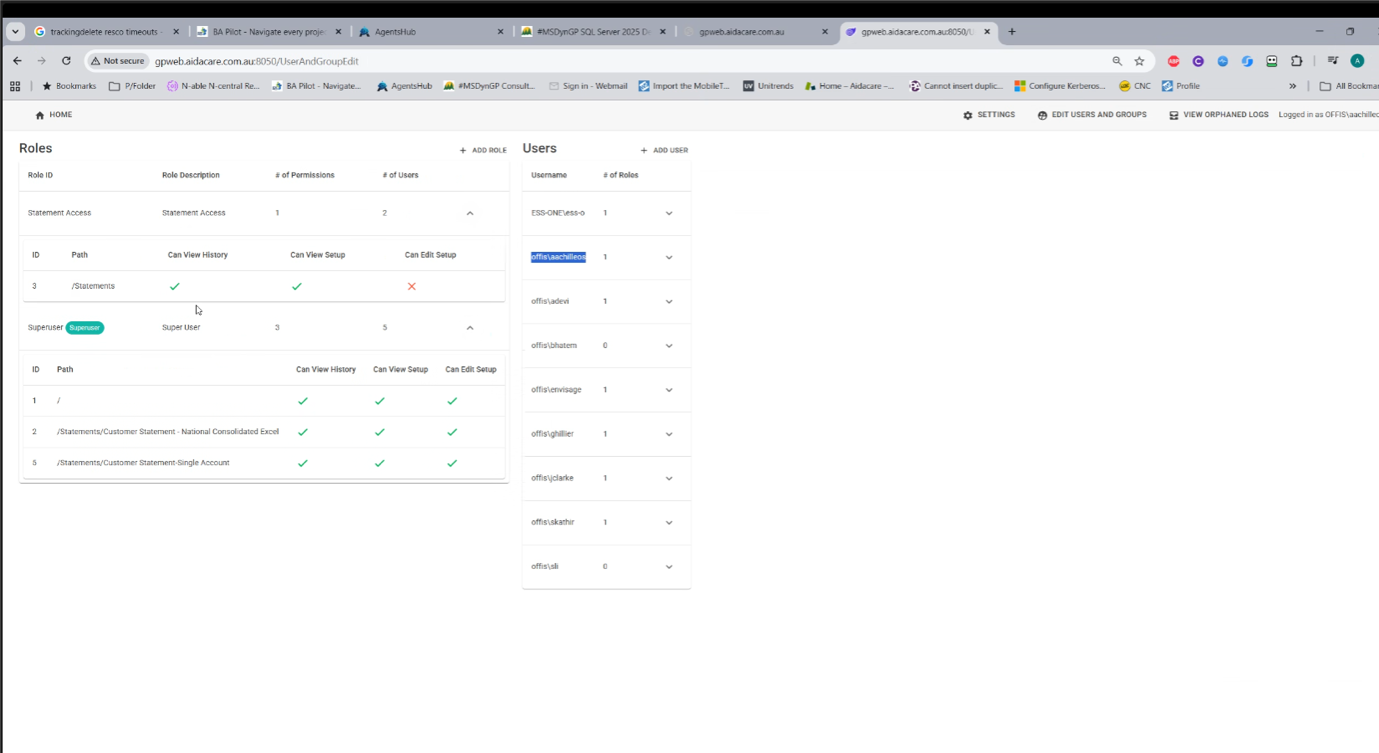
GovernanceSendMaster provides operational controls such as run-now execution, schedule enable/disable, execution logs, success/failure tracking, completion queries, orphaned log review, and role-based permissions — making it a governed communication automation layer on top of Dynamics GP rather than a standard GP module.
Why SendMaster Is Needed
In Simple TermsGP is the system of record, but it is not designed to be a flexible customer communication scheduling platform. Microsoft Dynamics GP holds the finance, customer, statement, sales, and service data. However, sending personalised statements, reports, reminders, SMS messages, Excel files, PDFs, and operational notifications on a recurring schedule requires additional orchestration. SendMaster sits on top of GP and converts GP data into scheduled, template-driven communications.
GP stores and processes the business transactions. SendMaster automates how selected GP data is communicated to customers and internal users.
Without SendMaster, the outcome would probably require a mix of manual GP report runs, SQL scripts, SSRS subscriptions, Outlook/email handling, SQL Agent jobs, and ad hoc support from technical users. That increases operational risk, manual effort, and dependency on a few people.
Why GP Alone Is Not Enough
GP vs SendMaster| Why GP alone is not enough | What SendMaster adds |
|---|---|
| GP has transactional data, but limited business-user-friendly scheduling for custom communications | Web-based schedule setup for email, SMS, files, and reports |
| GP reports usually need manual running, exporting, or emailing | Automated report generation and delivery |
| GP is not ideal for dynamic email/SMS templates with merge fields | Personalised templates using customer name, period, email address, etc. |
| Sending monthly statements to hundreds of customers manually is time-consuming | Bulk scheduled customer statement automation |
| GP users may need SQL/reporting knowledge to extract the right data | Predefined SQL datasets and report configurations exposed through SendMaster |
| GP does not provide a dedicated communication execution dashboard | Logs showing success, failure, status, and message counts |
| GP security is around GP functions, not custom communication schedules | Role-based access for schedule view/setup/edit permissions |
| Exceptions may require manual checking across GP, reports, email, and SQL | Centralised failure visibility, orphaned logs, and rerun support |
SendMaster Capabilities
Diagram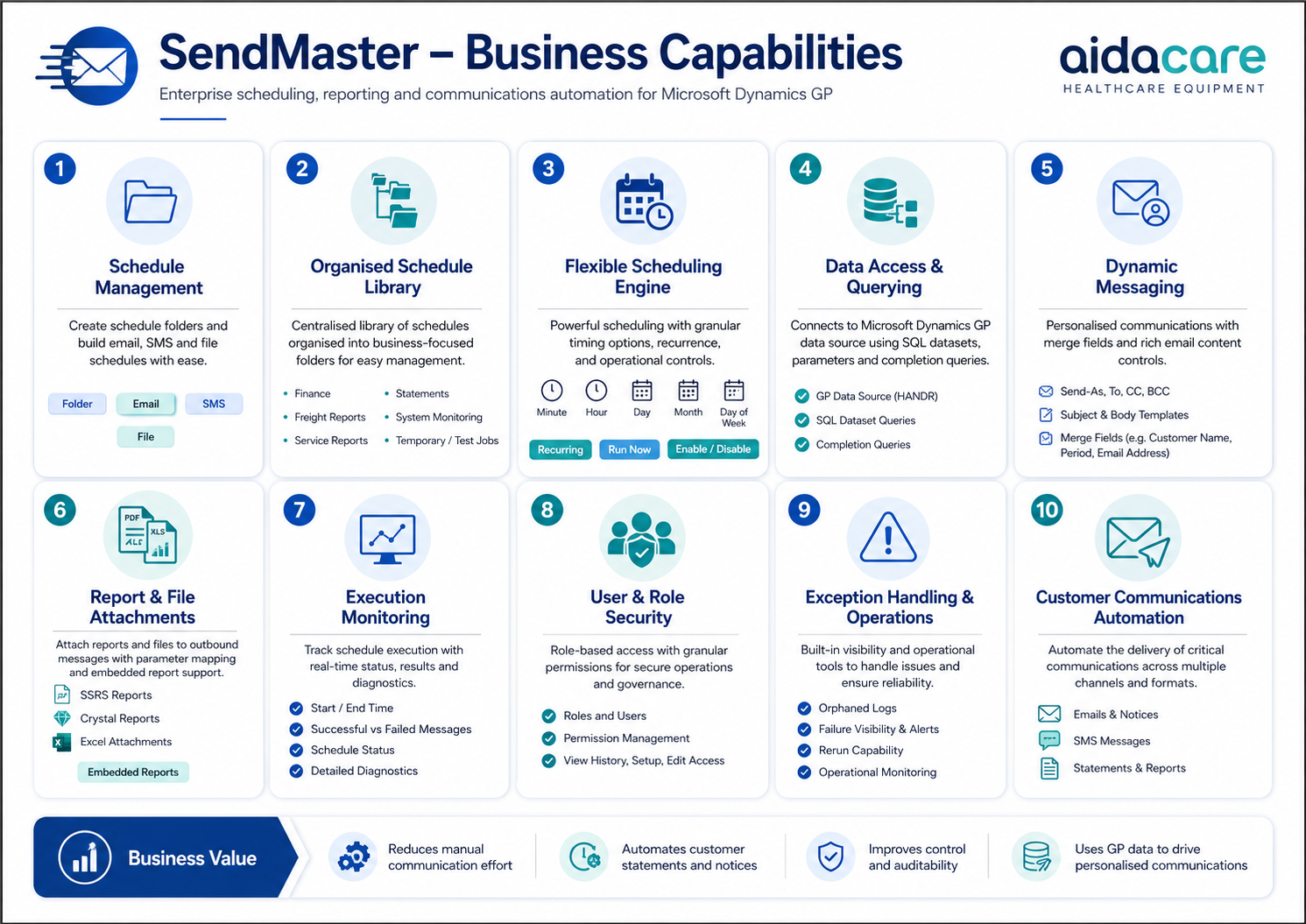
Solution Architecture
Diagram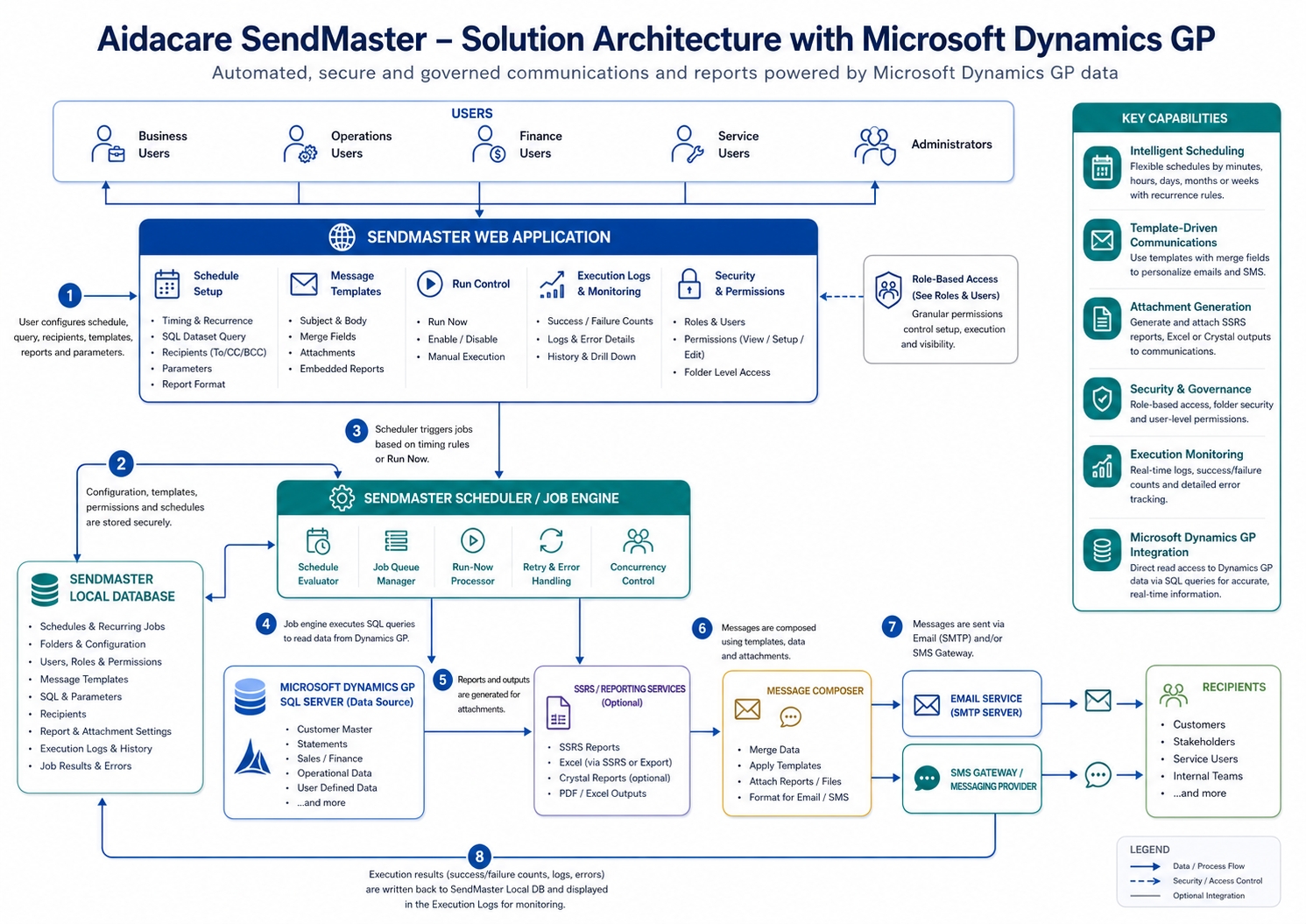
Data Flow
Diagram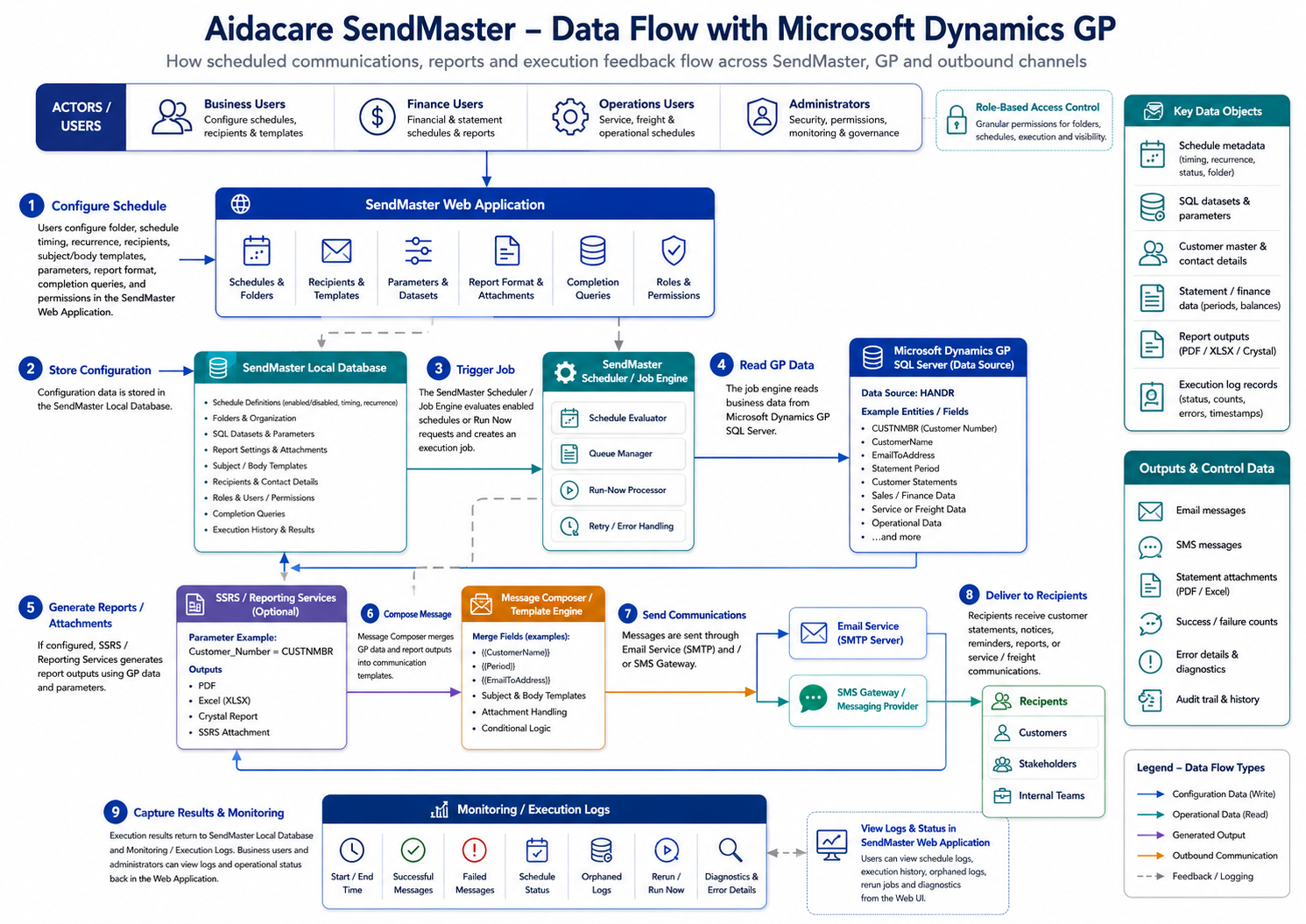
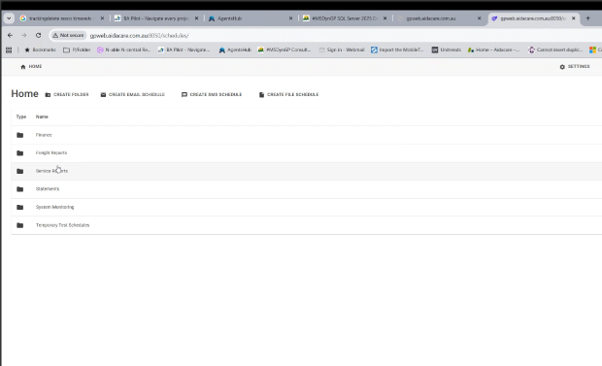
SendMaster App Screens
6 ScreenshotsApplication screen captures from the SendMaster web UI — schedule setup, message templates, execution logs, and communication management on AIDAGPWC01V.
Technical Document
IntegrationSendMaster integration documentation — architecture, data sources, scheduling, and GP integration details.
Download SendMaster Integration Documentation (.docx)